How to get a business email in 6 steps
May 27, 2026
/
Matleena S. & Saulius L.
/
6 min Read
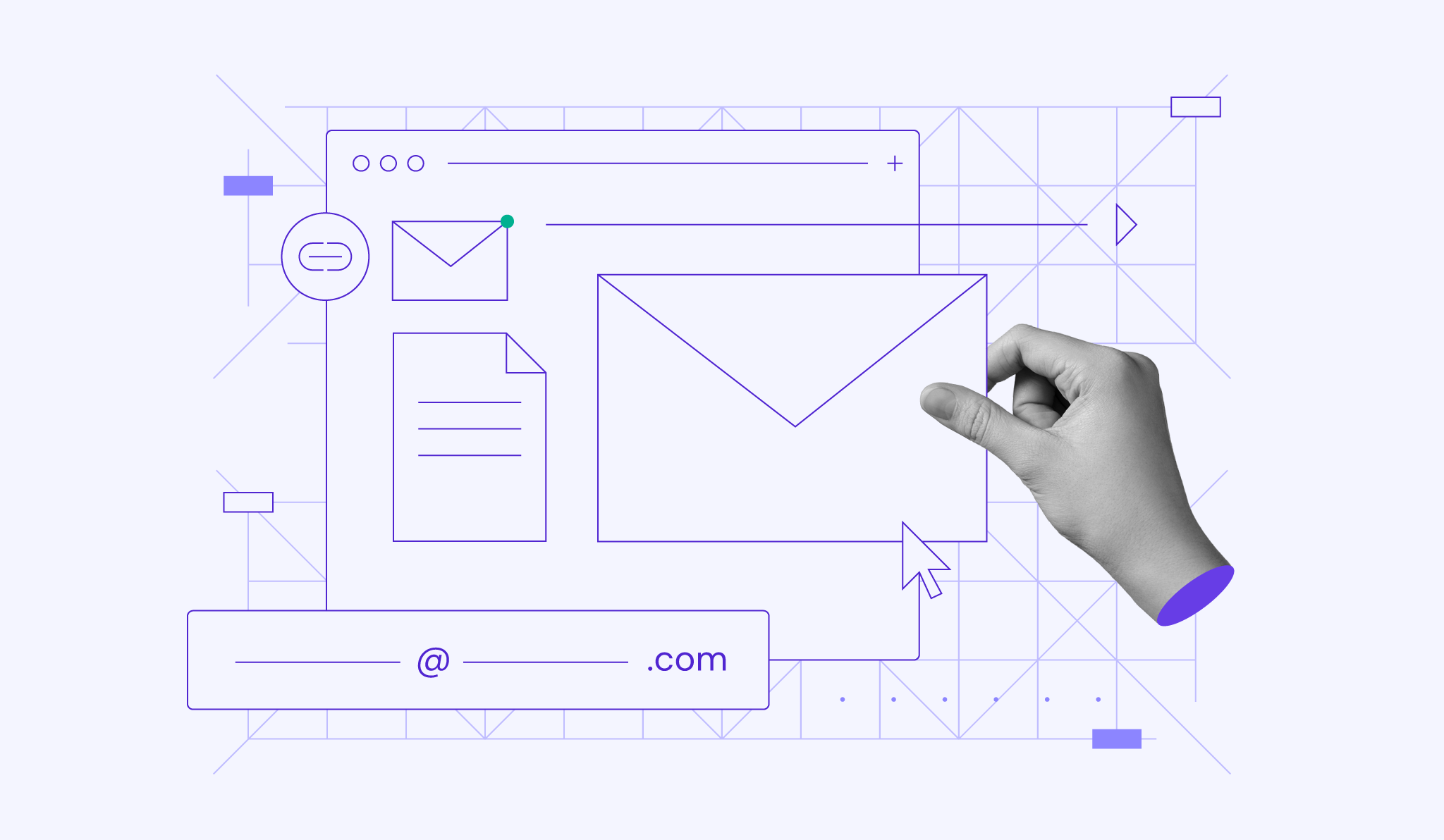
A business email makes your brand look credible from the first message you send. To create one, choose an email hosting provider, connect a custom domain, set up your mailbox, and secure the account before using it for client, sales, or team communication.
A business email address uses your company’s domain name, such as name@company.com, instead of a free email domain. This makes business communication look more credible, improves brand consistency, and gives teams more control over mailboxes, aliases, storage, and security.
Here are the six steps to get a business email:
- Choose an email hosting provider
- Register or connect a custom domain
- Create a business email address
- Connect your email to apps and devices
- Secure your business email
- Manage your email inbox
1. Choose a business email hosting provider
A business email hosting provider stores your mailbox, sends and receives messages through your domain, and gives you tools for security, storage, aliases, and device access.
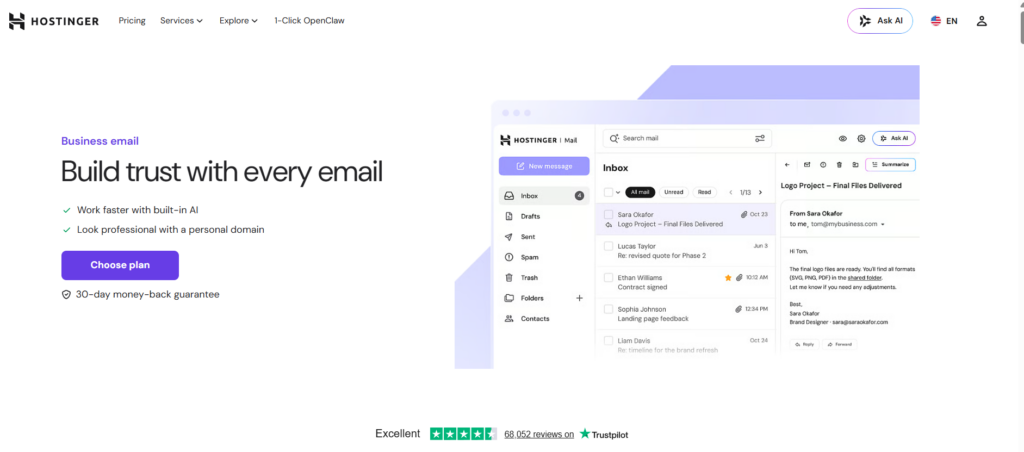
When choosing a business email provider, focus on the features that affect daily business communication:
- Email storage capacity. Ample storage ensures you can store emails without worrying about running out of space.
- Security features. Protecting your business communication from threats like phishing, spam, and unauthorized access is crucial. Ensure your chosen email plan includes essential security features like two-factor authentication, spam filters, and email encryption.
- Number of email aliases. Email aliases allow you to create multiple email addresses under a single primary account, which can help manage different aspects of your business communications.
- Customer support. Reliable customer support ensures you can resolve any issues quickly, minimizing downtime and disruptions.
- Ease of use and setup. A user-friendly interface and hassle-free setup process will save time and reduce the learning curve for beginners.
- Integration with other tools. Integrating your email with other business tools like calendars, task managers, and CRM systems can streamline operations and improve productivity.
With Hostinger, you can choose between Starter Business Email, Premium Business Email Deal, and Premium Business Email depending on the number of mailboxes, storage needs, forwarding rules, aliases, and AI-powered email features your business requires.
| Plan | Best for | Features | Price |
|---|---|---|---|
| Starter Business Email | Solo users or small businesses that need one mailbox | 1 mailbox, 10 GB storage per mailbox, 10 forwarding rules, 10 email aliases, and 1,000 emails/day per mailbox | A$ 0.59/month per mailbox for a 48-month term. |
| Premium Business Email Deal | Teams that need multiple mailboxes | 5 mailboxes for the price of 4, 50 GB storage per mailbox, 50 forwarding rules, 30 email aliases, 3,000 emails/day per mailbox, and Agentic Mail | $1.59/month per mailbox for a 48-month term. |
| Premium Business Email | Businesses that need one mailbox with higher limits | 1 mailbox, 50 GB storage per mailbox, 50 forwarding rules, 30 email aliases, 3,000 emails/day per mailbox, and Agentic Mail | A$ 3.09/month per mailbox for a 48-month term. |
Follow these steps to purchase your business email plan with Hostinger:
- Select a plan that best aligns with your needs.
- Determine the number of mailboxes needed for your business.
- Select a subscription period that suits your business needs, keeping in mind that opting for a lengthier term provides better discounts.
- Create an account and pay for your plan.
- Follow the on-screen onboarding instructions.

2. Register a custom domain name
Owning a custom domain name is crucial for your business email as it strengthens professionalism and brand consistency.
Instead of using generic email addresses like yourcompany@gmail.com, a custom email domain allows you to create personalized email addresses like info@yourcompany.com.
When picking a domain name, consider the following tips to ensure its effectiveness:
- Relevance. Choose a domain name that reflects the business or services you offer. This helps in conveying what your business is about at a glance.
- Simplicity. Keep the domain name simple and easy to spell. Avoid using complex words or unusual spellings that might confuse potential customers.
- Memorability. Customers are more likely to recall a memorable domain name than a convoluted one. Aim for something catchy and unique that stands out from competitors.
- Avoid numbers and hyphens. These can be confusing and hard to remember. Stick to letters and words that are easy to type and communicate.
Use our domain name checker to find the perfect domain for your business email address:
Domain Name Checker
Instantly check domain name availability.
Once you have purchased your business email plan, you will be directed to the onboarding flow. Choosing and registering a domain name is part of this process.
If you already have a domain name, connect it to your business email account. Alternatively, follow the on-screen instructions to buy a new domain.
3. Create a business email address
Once you have a domain name, it’s time to configure your email address.
In this step, you’ll specify the first part of your email address, also known as the local part. This is the section before the “@” symbol that identifies your mailbox within the domain.
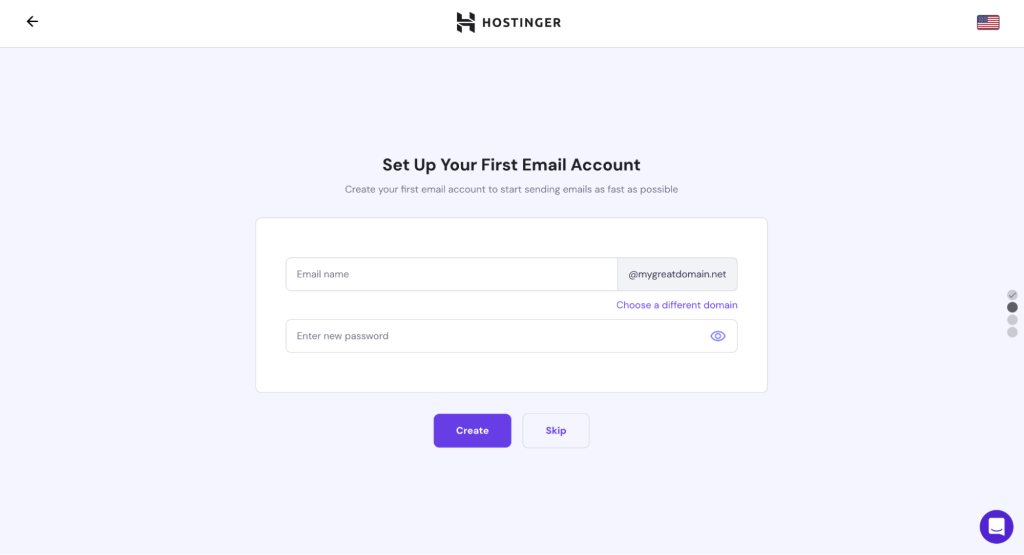
There are several ways to create local parts for your business email addresses. Here are some of the most common options and their advantages.
| Format | Example | Best for |
|---|---|---|
| First name | jane@yourcompany.com | Small teams and personal client communication |
| First + last name | jane.smith@yourcompany.com | Growing teams with multiple employees |
| Department address | sales@yourcompany.com | Sales, support, billing, and shared functions |
| General inbox | info@yourcompany.com | Public contact pages and general inquiries |
| Alias | help@yourcompany.com forwarding to support@yourcompany.com | Routing messages without creating extra mailboxes |
Considering these factors, let’s explore some of the best practices for creating an effective professional email address:
- Keep it short and memorable. Strive for a local part that’s easy to type and remember. This increases the likelihood of people reaching the correct recipient.
- Use lowercase letters and numbers. Avoid using uppercase letters or special characters, as they can be less readable and prone to typos.
- Be consistent. If you choose the individual email address approach, ensure consistency across your team. For example, you could use firstname.lastname@yourcompany.com for all employees.
- Consider using aliases. Hostinger’s plans support email aliases, which let you create additional email addresses that forward to a central mailbox.
4. Connect your business email address to apps and devices
Now that your business email is up and running, it’s time to link it to the devices and apps you will be using.
Commonly referred to as mail clients, these apps help you access your business email on your smartphone, tablet, or laptop. This ensures you can respond to inquiries and manage your workload even when you’re away from your desk.
Many email client apps also offer additional security features like spam filtering and phishing protection, adding an extra layer of defense for your business communication.
Connect your business email address to various mail clients in hPanel → Emails → Connect Apps & Devices. If you use Apple devices, it’s possible to use the one-click installer for auto-configuration.
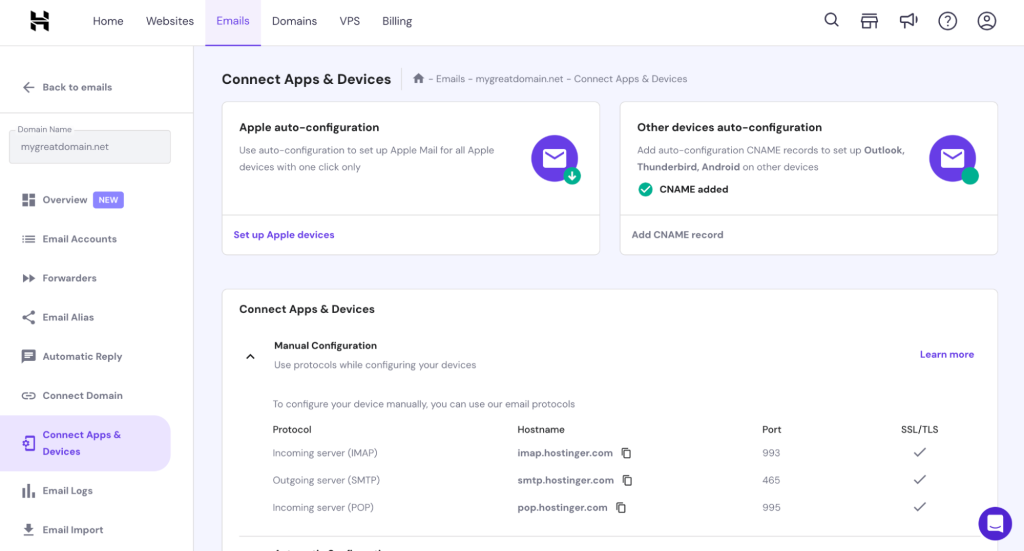
The best email client for you depends on your specific needs and preferences. When making your choice, consider factors like desired features, operating system compatibility, and budget.
Some popular email clients include:
- Thunderbird. A free, feature-rich option perfect for users who value customization and powerful functionality.
- Microsoft Outlook. A business-oriented email client that provides a comprehensive suite of tools for managing your inbox.
- Apple Mail. Pre-installed on Apple devices, this is a convenient choice for macOS users who want a streamlined email experience.
5. Implement email security measures
Having a professional business email address opens doors for communication and collaboration, but it can also make you a target for malicious attacks.
Business emails often contain sensitive information, such as customer data or financial details. Phishing attacks and malware can trick users into revealing such information, causing significant harm to your business.
Similarly, a hacked email account can be used to send spam or impersonate your company, damaging your brand reputation and customer trust as a result.
Hostinger offers several features to help you secure your business email, including two-factor authentication (2FA) for your hPanel account and server-level encryption.
2FA adds an extra layer of security by requiring a second verification code when logging in, making it more difficult for unauthorized access. Encryption keeps your email data safe, safeguarding it from unwanted prying eyes.
Boost your email security with these recommended practices:
- Strong passwords. Use complex passwords using uppercase and lowercase letters, numbers, and symbols. Avoid using the same password for multiple accounts.
- Regular updates. Keep your email client and operating system software up-to-date with the latest security patches.
- Educate your team. Provide your team with ongoing training on time-proven email security practices, including identifying phishing attempts and avoiding opening suspicious attachments.
- Advanced protection settings. Configure email authentication and protection settings, such as custom DKIM, spam filtering, and anti-phishing tools, to improve email security and deliverability.
6. Manage your business email inbox
A well-organized business email inbox helps you find messages faster, prevent storage issues, and keep daily communication manageable. Use these practices to maintain your mailbox:
- Manage storage. Monitor your email storage usage and delete unnecessary emails or attachments to avoid exceeding storage limits. Check storage usage for each email account regularly so you can free up space before the mailbox reaches its limit.
- Organize with folders. Create folders to categorize emails by topic, project, client, or department. Use subfolders when a category needs more specific organization, such as separating invoices, contracts, and support requests. This can be done directly in your email client or through Hostinger Webmail.
- Automate tasks. Many email clients allow you to set up automatic rules for tasks like filtering spam or moving specific emails to designated folders. This can save you time and streamline your workflow.
How much does a business email cost?
The cost of a business email depends on the provider, plan, number of mailboxes, and included features. For example, Hostinger offers plans starting from A$ 0.59/month, while Google Workspace plans start from $3.40/month. Some providers also bundle business email with a domain name, storage, aliases, or security features, which can lower the total setup cost.
When comparing plans, calculate the cost based on how many mailboxes your business needs. A solo business may only need one address, such as name@yourcompany.com, while a growing team may need separate mailboxes or aliases for employees, departments, and shared functions like sales, support, and billing.
How to improve your business email deliverability
After creating your business email, check whether your messages are reaching recipients’ inboxes instead of spam folders. Email deliverability depends on your domain setup, authentication records, sending habits, and message quality.
To improve email deliverability, configure authentication records like SPF, DKIM, and DMARC, avoid sending large volumes of emails from a new mailbox, and use a clear sender name that matches your business. You should also keep your contact list updated, avoid spam-like subject lines, and make sure recipients can recognize your domain.
If you use your business email for sales, newsletters, or customer support, review deliverability settings regularly. This helps protect your domain reputation and keeps client communication reliable as your business grows.

Matleena is a seasoned Content Writer with 5 years of content marketing experience. She has a particular interest in emerging digital marketing trends, website building, and AI. In her free time, Matleena enjoys cups of good coffee, tends to her balcony garden, and studies Japanese. Follow her on LinkedIn

As VP of Product at Hostinger, Saulius oversees Web Hosting Platform & Tools, Managed WordPress, and WebPro Experience. Saulius enjoys observing users through their daily life activities, looking for problems to solve, and building products that make users more efficient online, help them spend more time on the things they love, and leave all the rest for technology to solve. Follow him on LinkedIn.