The best free WordPress themes give you a responsive design, block editor or page builder support, and ready-made starter templates, all without paying for a license. Free versions cover the essentials, such as layout, typography, and color, while paid upgrades add extras like product filters and priority support.
Astra, Blocksy, and Newsmatic give you enough built-in features to launch a store, niche site, or news site without buying a license. Astra is a lightweight theme, so blogs and stores load quickly. Blocksy gives niche sites a finished look fast, with free starter sites and a two-second load time. Newsmatic serves multilingual news outlets with clean, readable layouts.
The themes in no particular order. Page speed figures come from GTmetrix tests on a fresh WordPress installation with Hostinger hosting, so your results depend on your setup.
1. Astra

- Notable features: WooCommerce support, dedicated sidebars, and responsive font size.
- Page speed: 1.1 seconds.
A fast-loading WordPress theme like Astra adapts to blogs, business sites, and WooCommerce stores. Its free version adds primary header layouts, custom buttons, related posts, schema markup, and social icon widgets.
At 1.1 seconds, it also loaded faster than every other third-party theme on this list. Choose Astra if you want one theme that grows with your site, so you can add a store to your blog later without switching themes.
Astra Pro costs $69/year for up to three websites. It adds a header and footer builder, full typography and color control, and WooCommerce features like quick view and two-step checkout.
Higher-tier plans, such as Astra’s Essential and Business Toolkit, start at $99/year and include 300+ premium starter templates and artificial intelligence (AI) that provides access to the platform to generate and customize sites from a prompt.
2. Zakra
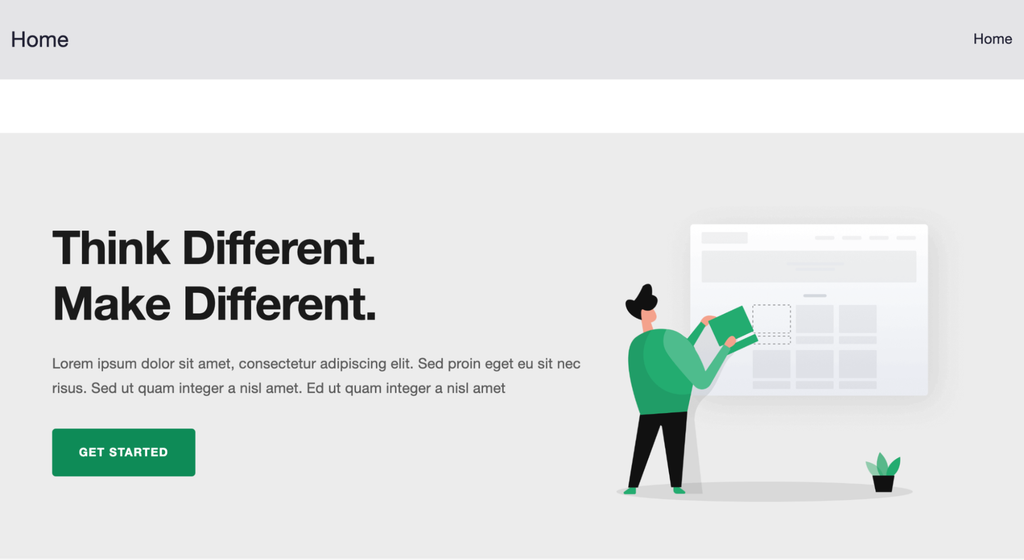
- Notable features: 40+ free starter sites, customizable headers, and WooCommerce product catalog styling.
- Page speed: 2.8 seconds.
Zakra is a multipurpose theme for blogs, business sites, and WooCommerce stores. It integrates with Elementor, Brizy, BlockArt, and the WordPress block editor, and is compatible with popular plugins, such as Yoast SEO and WP Rocket.
Choose Zakra if you haven’t settled on an editor yet. It works with several, so you can switch editors later without changing themes.
Zakra also includes hooks, code entry points that let you add custom styles or move elements outside their default spots without editing the theme files. Zakra Pro costs $69/year for up to three websites and includes 30+ premium starter templates, priority support, and live chat.
3. Hostinger AI Theme
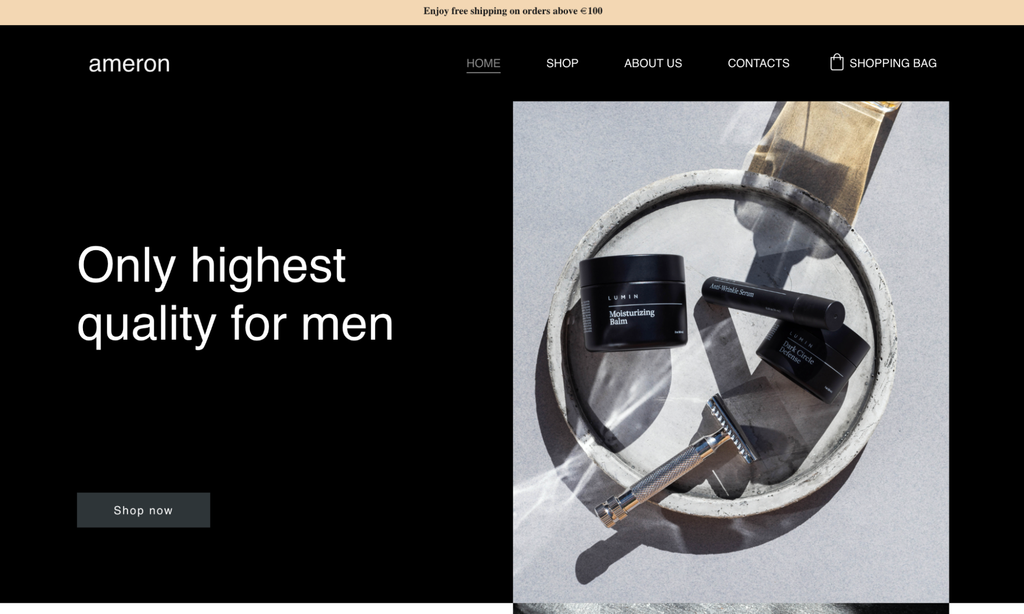
- Notable features: Light and dark color palettes, AI font pairing, Gutenberg or Elementor editing.
- Page speed: 0.5 seconds.
Hostinger AI Theme comes with Hostinger hosting through the AI Website Builder for WordPress, where you describe your idea, choose your editor, and the builder generates your layout, colors, and starter content.
You then edit everything as you would on any other WordPress site. Start with Hostinger AI Theme if you’ve never chosen a theme before, since the builder picks the layout, colors, and fonts for you.
Every palette meets Web Content Accessibility Guidelines (WCAG) contrast standards, so text stays readable for visitors with low vision. Upload your logo, preview it on desktop, tablet, and mobile, and keep up to five versions so you can experiment without losing a design you liked.
The Unlimited plan costs $3.49/month for 48 months and includes unlimited websites and mailboxes, AI tools, priority support, and a free domain for a year. The Cloud Startup plan costs $7.99/month for a 48-month period and includes unlimited websites, AI tools, a free domain for a year, and 100 GB NVMe storage.

4. Responsive
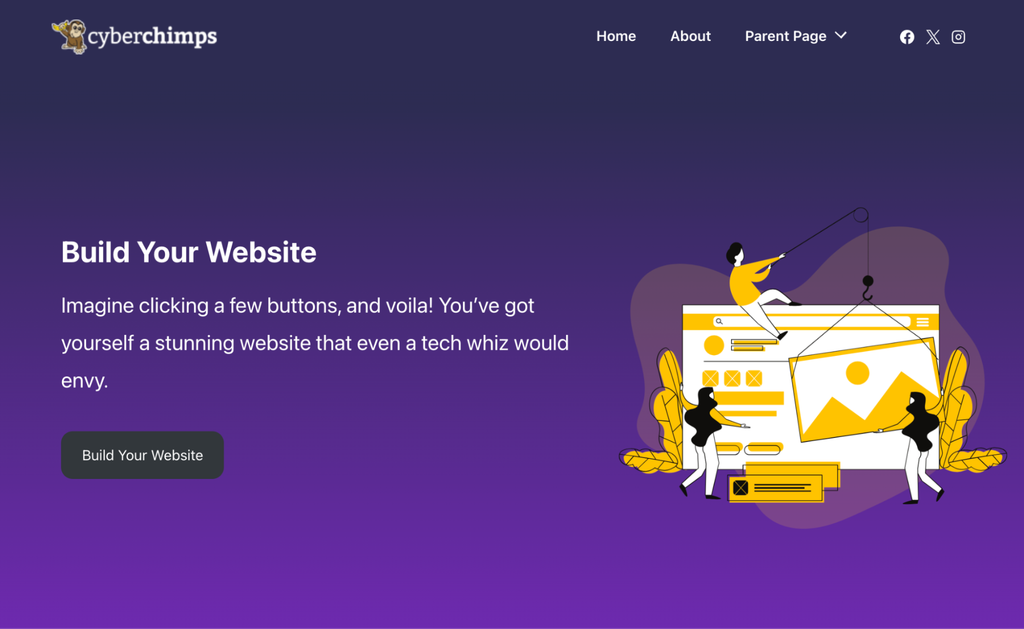
- Notable features: 100+ free starter templates, sticky headers, unlimited colors.
- Page speed: 2.7 seconds.
Responsive is a free WordPress theme for business sites, blogs, portfolios, online stores, and education sites. Its 100+ starter templates import into Elementor or the block editor. Go with Responsive over Astra if you’d rather edit a finished template than configure layouts yourself.
Store owners get WooCommerce-ready layouts, and bloggers get several blog layouts to pick from. The Personal plan costs $29.50/year for up to three websites and adds premium starter templates, Responsive Addons for Elementor, and priority support.
5. Blossom Feminine

- Notable features: Multilingual support, social media integration, sticky post, and featured area.
- Page speed: 2.2 seconds.
Blossom Feminine is a WordPress theme for bloggers who want a feminine, photo-friendly design. The layout suits any niche, including blogs with a WooCommerce store. Pick it over Bard if photos matter more to you than having multiple authors.
A banner slider puts your own photos front and center on the homepage, and post excerpts summarize each article. The paid version has a $59 one-time fee for a single site and adds extra layouts, advanced slider control, and AdSense-optimized ad spots.
6. Video Streaming
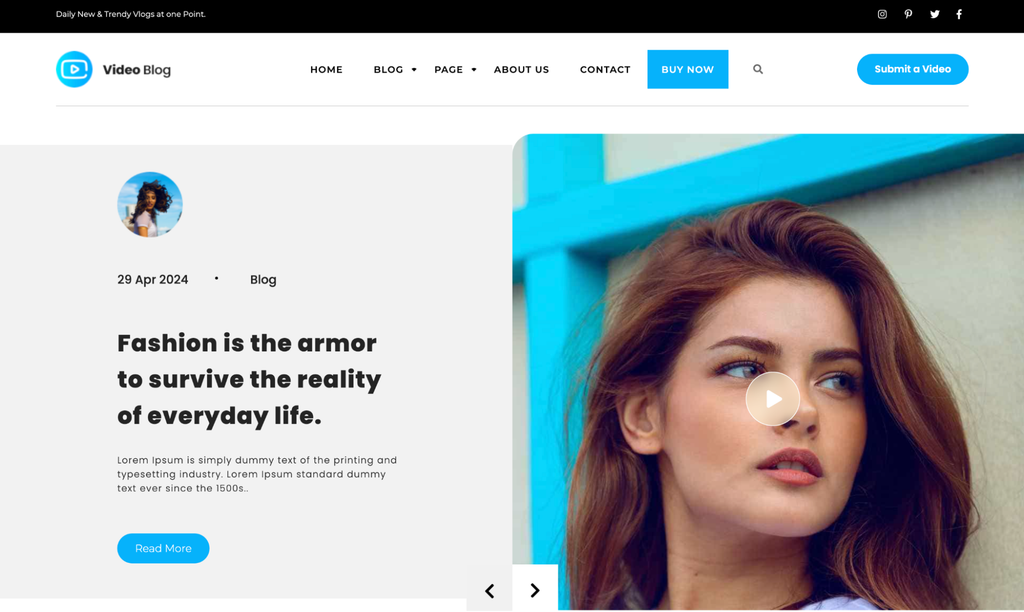
- Notable features: Photo gallery, slider, social icons.
- Page speed: 2.5 seconds.
Video Streaming is a theme that suits video channels and other visually heavy sites. It runs on Bootstrap, a framework for responsive layouts, so the design adapts to every screen size.
WooCommerce support lets you sell products alongside your videos. Reach for it when your video content needs to be the first thing visitors see, not when deep customization matters most.
Upgrading to the premium version at $39/year adds more page templates, a simple menu option, Google Maps integration, and priority error-fixing.
7. Hello Elementor
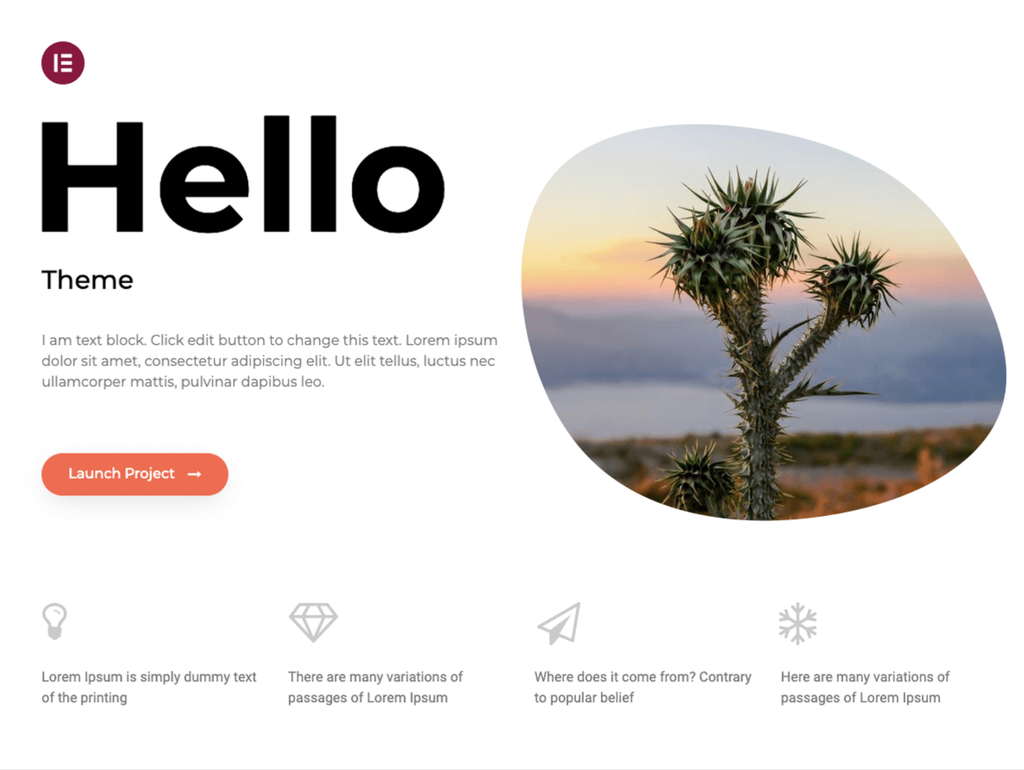
- Notable features: Lightweight base, built for Elementor, free and open source.
- Page speed: 2.3 seconds.
Hello Elementor is the theme for people who let a page builder do the design work. The theme has more than 1 million active installations on WordPress.org, but it adds almost nothing on its own, so skip it unless you’re committed to Elementor.
You design every page in Elementor’s drag-and-drop editor. Paid plans start at $5/month, billed annually, for the Essential plan, which includes a basic website and theme builder, dynamic content, and 57 Editor Pro widgets.
8. Vantage
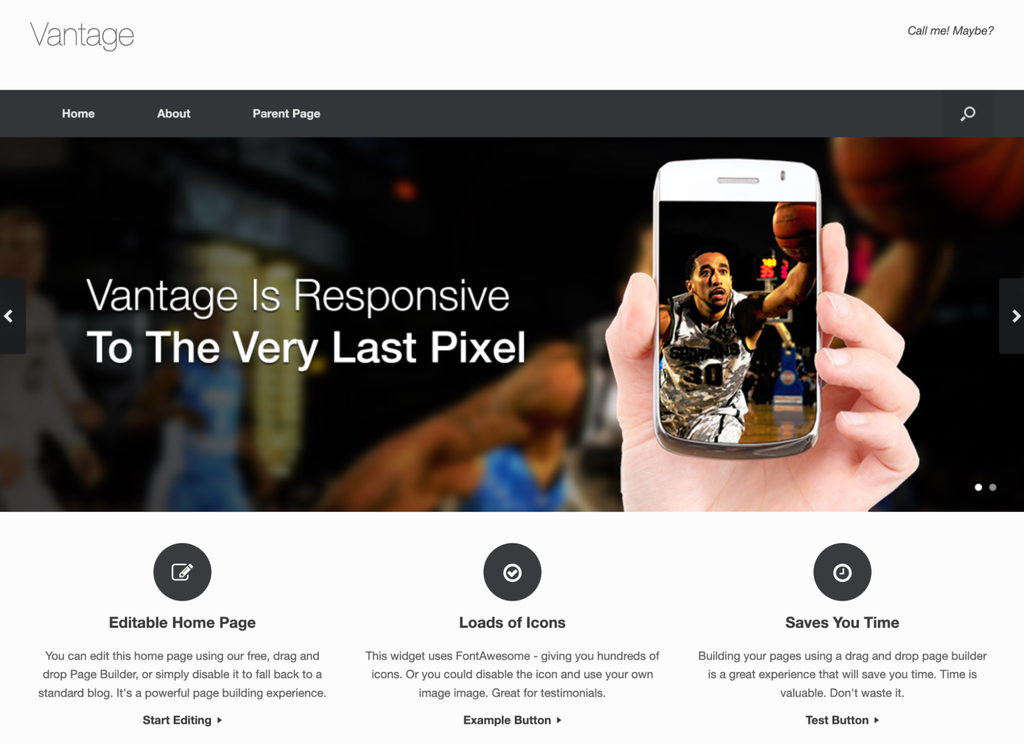
- Notable features: A visual Cascading Style Sheets (CSS) editor, translation-ready, and a widgets bundle.
- Page speed: 2.4 seconds.
Vantage is a theme that uses the SiteOrigin page builder, so you control layouts through a drag-and-drop interface. Choose Vantage over Hello Elementor if SiteOrigin is already your builder.
The free SiteOrigin Site Pack adds demo content, layouts, and the plugins you need, including a preconfigured WooCommerce store and contact page. Vantage itself has no paid version, but you can add more layout options and premium widgets through the SiteOrigin Premium plugin.
9. Botiga
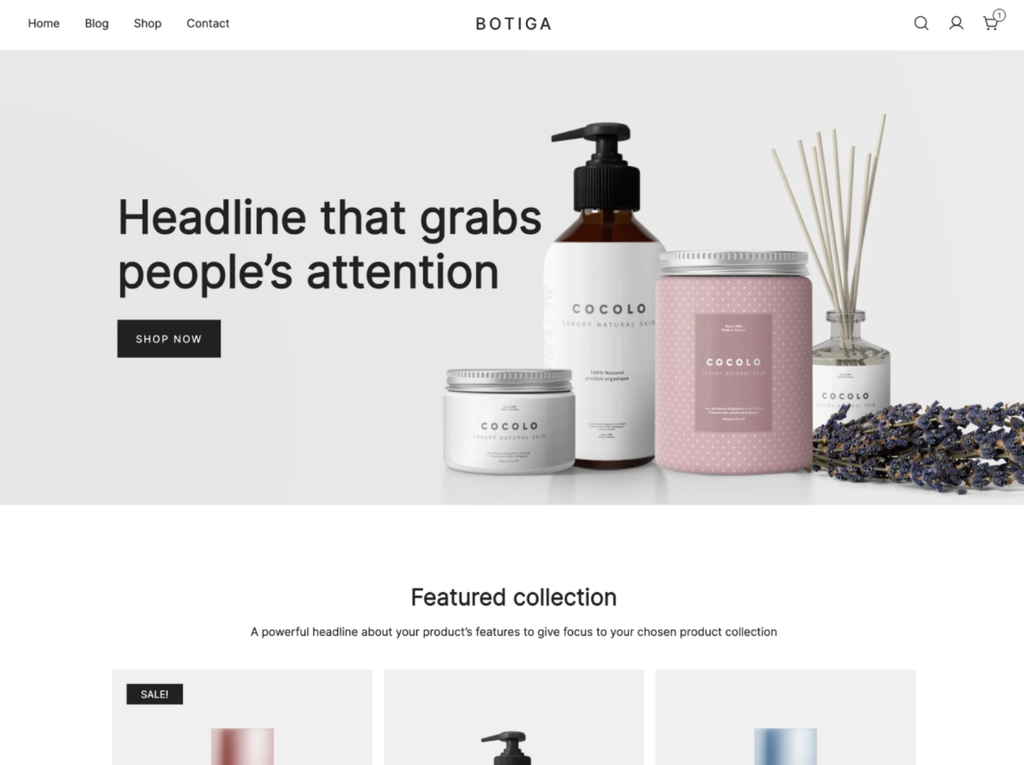
- Notable features: Product recommendations, quick view, mini cart, and instant search by product name or stock keeping unit (SKU).
- Page speed: 2.3 seconds.
Botiga is a minimalist WordPress theme built around simple, uncluttered product displays. The free version includes several product card styles, a drag-and-drop header and footer builder, and multiple blog layouts. Use Botiga for a catalog, and reach for Woostify instead if your products have many variations.
Botiga Pro starts at $63/year for one website and includes product filters, advanced reviews, variation swatches, checkout layouts, and premium starter sites.
10. Woostify
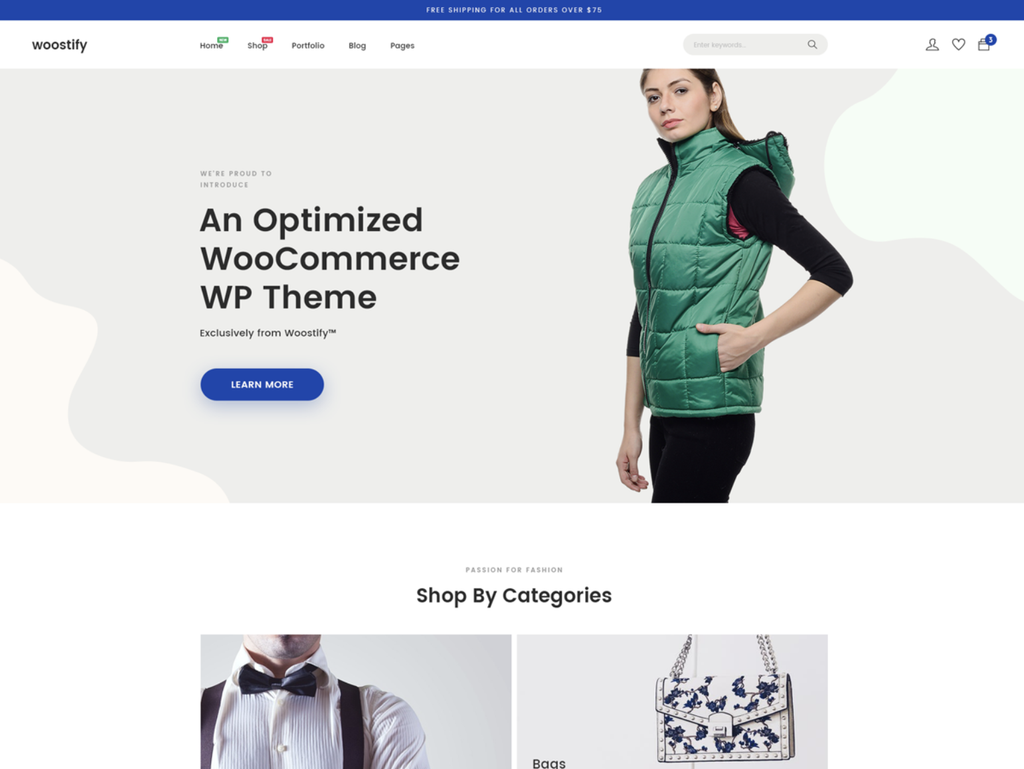
- Notable features: Multistep checkout layouts, wishlist, product videos.
- Page speed: 2.1 seconds.
Woostify is a WordPress ecommerce theme for stores that sell physical products. It gives you multiple product page layouts, hover styles for product images and variation swatches, and clickable buttons that let shoppers pick a size or color instead of using a dropdown. Skip it if your products don’t come in sizes, colors, or other variations, since its swatches make those options easy to browse.
The theme is translation-ready, and Woostify’s child theme generator creates a child theme that keeps your customizations separate, so updates don’t overwrite your changes. Woostify Pro starts at $49/year and includes premium starter sites, support, and add-ons such as pre-order and a dropdown that displays multiple links at once.
11. Sydney
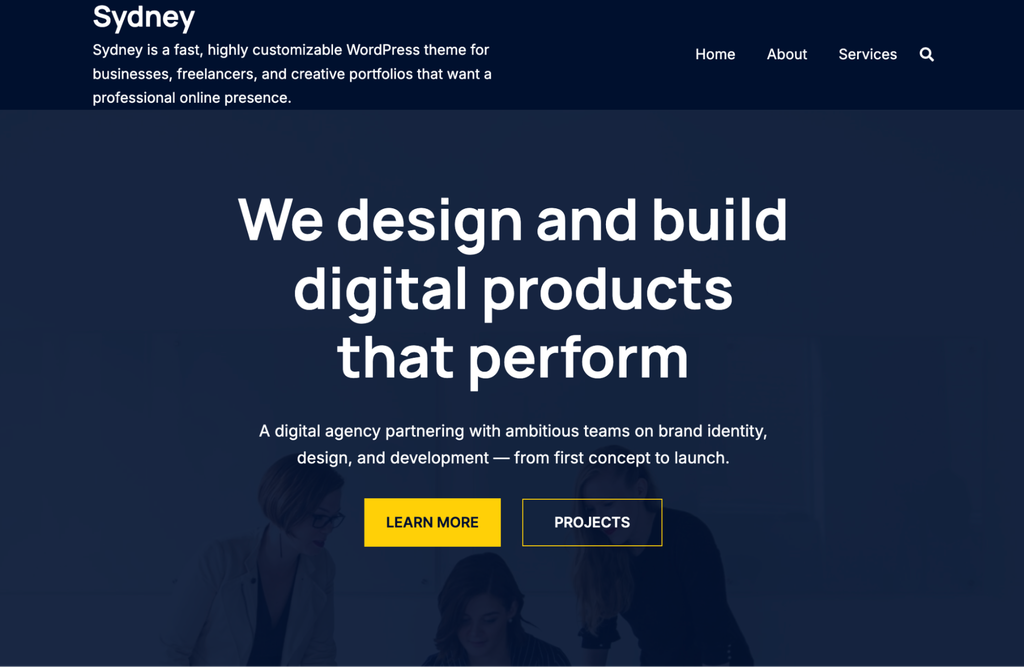
- Notable features: Pre-built sections, mobile optimization, and customizable sidebars.
- Page speed: 2.4 seconds.
Sydney is a business theme that lets you build pages from pre-built sections rather than start from a blank canvas. Like other WordPress business themes, it works with both Elementor and the block editor, so you can customize the site without installing extra plugins.
Lean on Sydney for a straightforward business site you build entirely with the block editor and Neve when you’d rather start from a finished starter site.
Sydney also includes post layouts and basic WooCommerce support. Sydney Pro starts at $63/year for one website, and includes 25+ starter sites, hundreds of customization controls for headers, footers, sidebars, and menus, and premium support.
12. Ollie
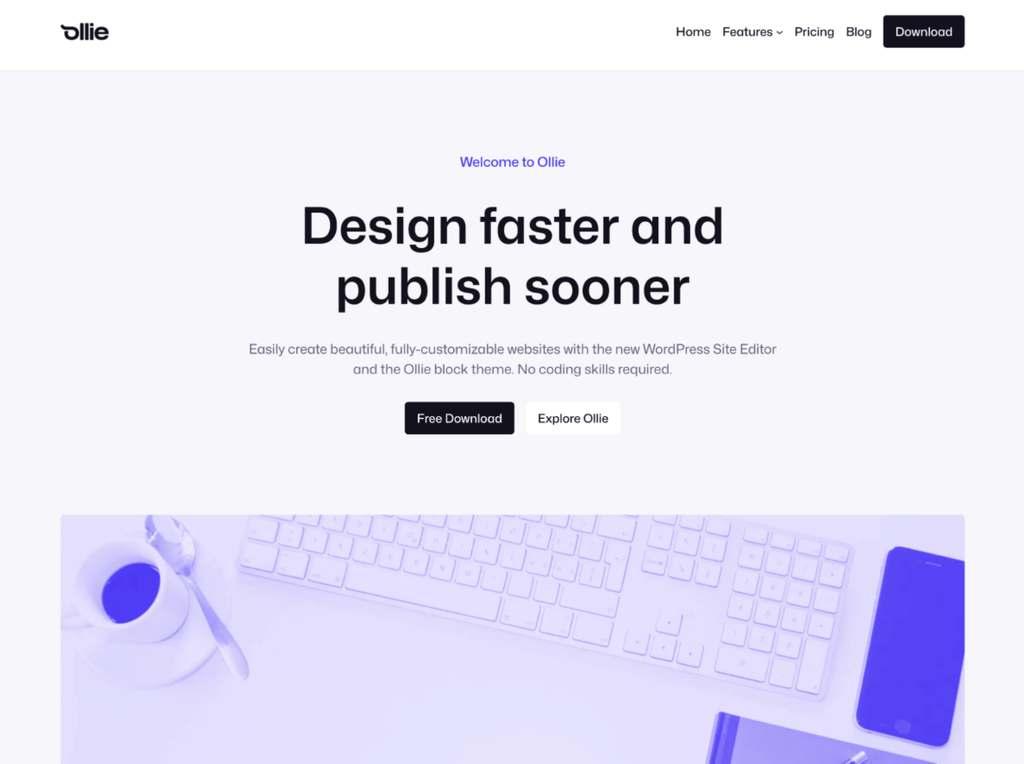
- Notable features: 50+ patterns, seven full-page layouts, 23 style variations.
- Page speed: 2.4 seconds.
Ollie is a block theme, so you design every part of your site, including headers and footers, in the WordPress site editor rather than with a page builder plugin. Patterns are ready-made page sections, and style variations change your site’s colors, typography, and overall look in 1-click. Try Ollie if you want to learn the WordPress site editor, since everything is built into it.
Global Styles keep your fonts, colors, and spacing in one place, so every page stays consistent. Ollie Pro costs $89/year for one website and adds a growing cloud pattern library with hundreds of additional patterns, a Menu Designer, and priority support.
13. Bard
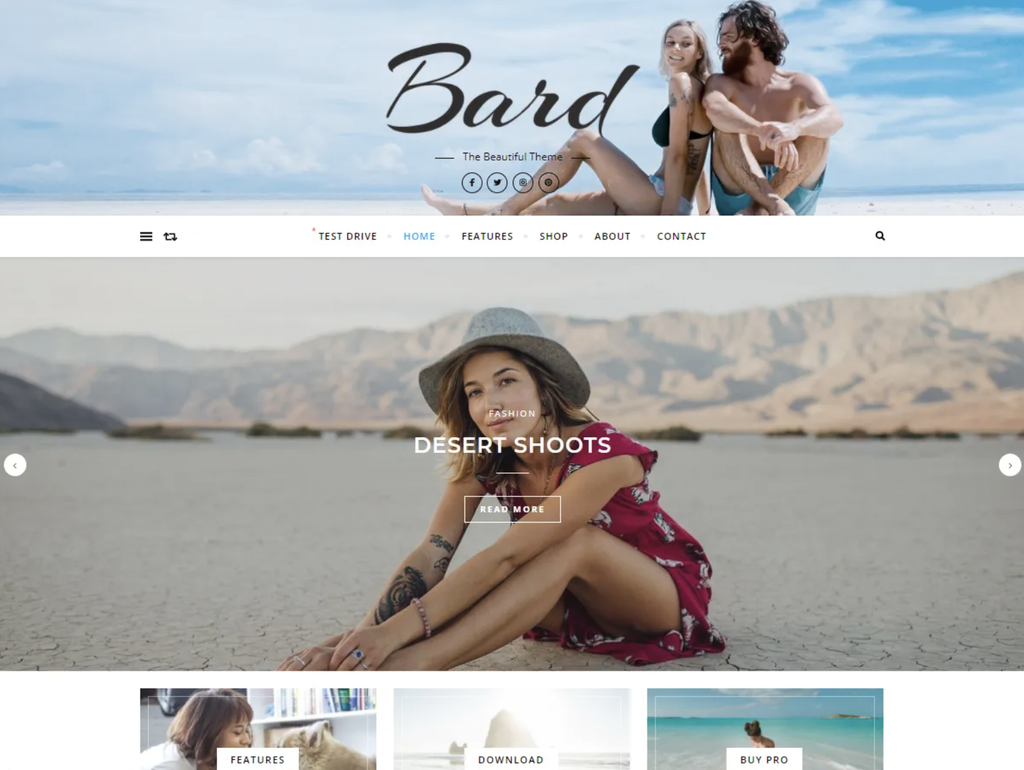
- Notable features: Promo boxes, featured sliders, body and header backgrounds.
- Page speed: 2.9 seconds.
Bard is a theme that works best for personal blogs and multi-author sites in any niche. The retina-ready design looks sharp on every screen size, and the Instagram widget area shows your latest Instagram posts on your homepage. Go with Bard over Blossom Feminine if several people write for the blog.
According to Bard’s WordPress.org theme page, the theme is built with search engine optimization (SEO) best practices in mind and is compatible with General Data Protection Regulation (GDPR) plugins. It’s also WooCommerce- and translation-ready.
The premium version costs $29.99 for a lifetime license and includes theme and security updates, as well as support.
14. Designexo
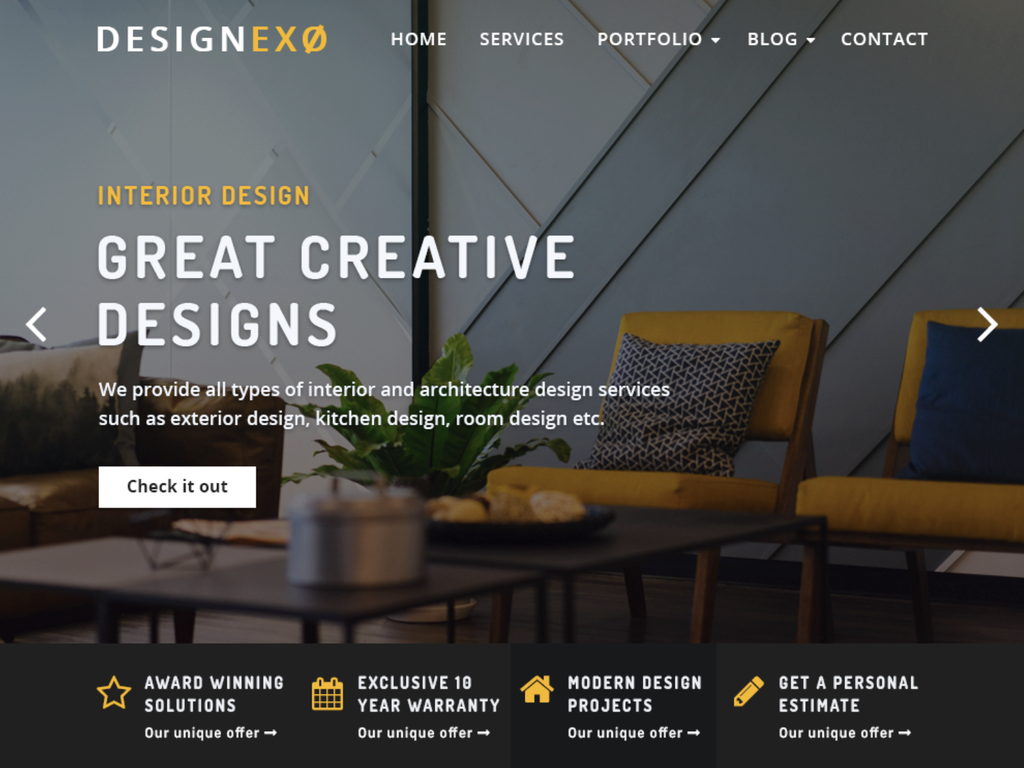
- Notable features: Dynamic business sections, custom header and footer styles, and animation effects.
- Page speed: 2.5 seconds.
Designexo is a theme built for architecture and interior design businesses. It also adapts to other business niches through the WordPress customizer, a settings panel with a live preview. A portfolio gallery showcases your projects, and the layout adapts to different devices and screen resolutions. Pick Designexo if you run a studio and want to show projects the day you launch.
Contact Form 7 support lets you collect leads directly on your site, and WooCommerce compatibility supports stores. Designexo Pro costs $49/year and adds style variations, unlimited color schemes, and customer support.
15. Neve
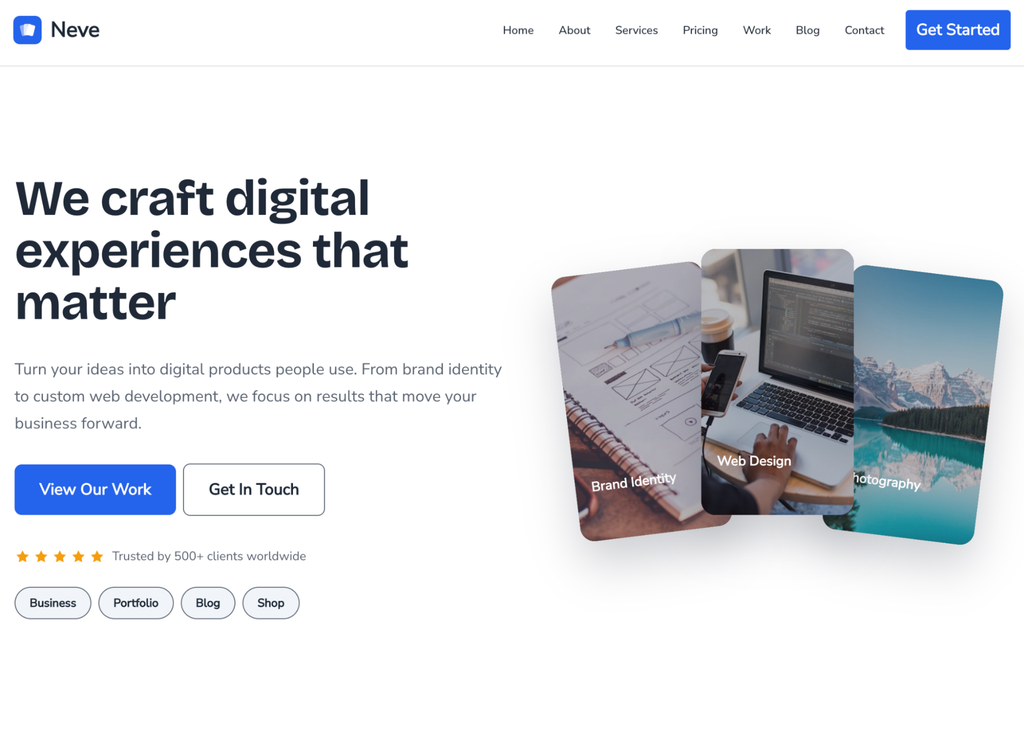
- Notable features: Page builder compatibility, global color palettes, and custom header styles.
- Page speed: 2.7 seconds.
Neve is a business theme with free starter sites. It lets you import a starter site and adjust colors, fonts, and layouts in the WordPress customizer, so you don’t need to write code. Choose Neve over Raft if you’d rather start from a finished starter site than from block patterns.
Paid plans start at $69/year and include custom layouts, extended Elementor settings, and support. The Business plan for $149/year includes more than 110 starter sites and templates.
16. ColorMag
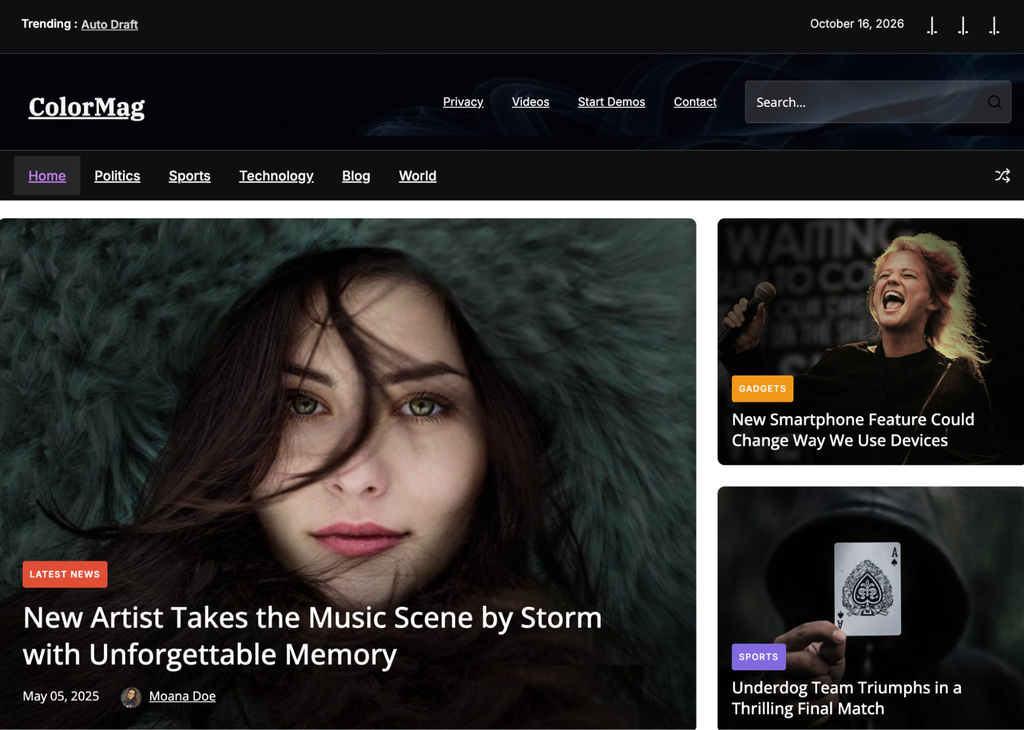
- Notable features: Background options, news ticker, ad, and featured post widgets.
- Page speed: 3.2 seconds.
ColorMag is a free theme for news portals and online magazines, featuring starter sites and header layouts. The sticky header keeps navigation within reach on sites with many pages and posts. Go with ColorMag when your homepage is a stream of headlines, and with Newsmatic if you publish in several languages.
The premium version costs $69/year and adds acces to the Pro features, priority support, and 30+ Starter templates.
17. OceanWP
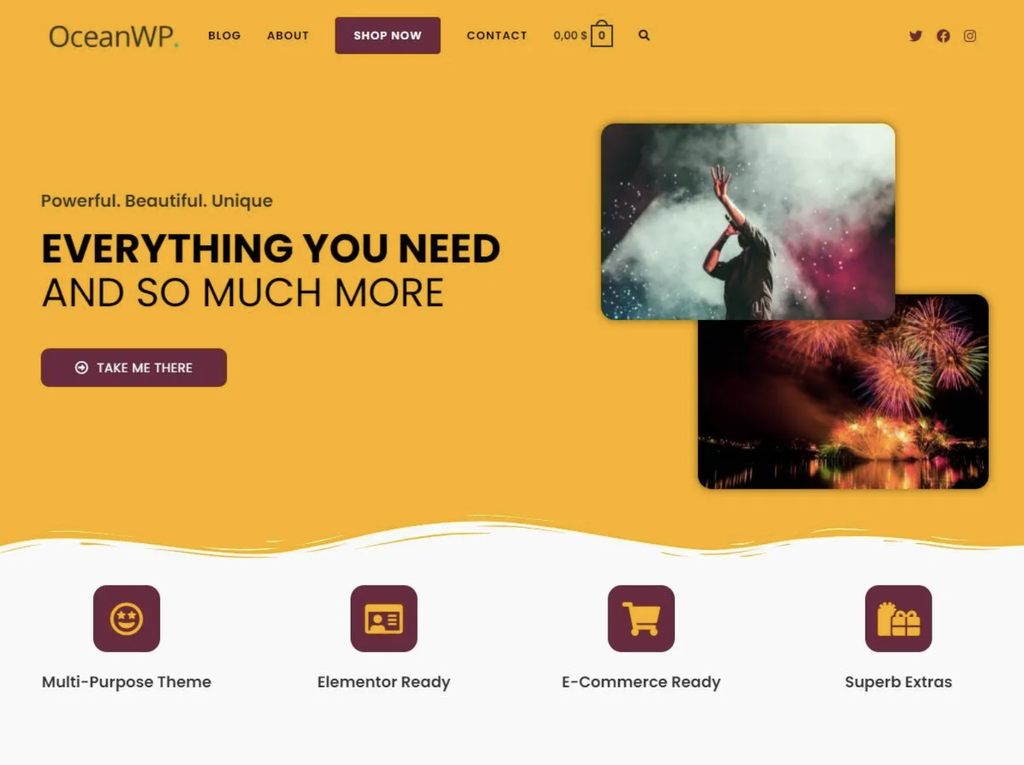
- Notable features: Schema markup, mobile menu settings, distraction-free checkout.
- Page speed: 2.1 seconds.
OceanWP is a multipurpose theme built around accessibility and flexibility. The free version includes more than a dozen website templates and extensions for custom sidebars and social sharing buttons. Choose OceanWP for its layout flexibility options rather than for raw speed.
On mobile, the menu displays as a sidebar, a dropdown, or a full-screen layout, and WooCommerce stores also get a multi-step checkout. The premium bundle starts at $34/year and includes a pop-up builder, 201 full-site templates, and options for custom post types.
18. Rife Free
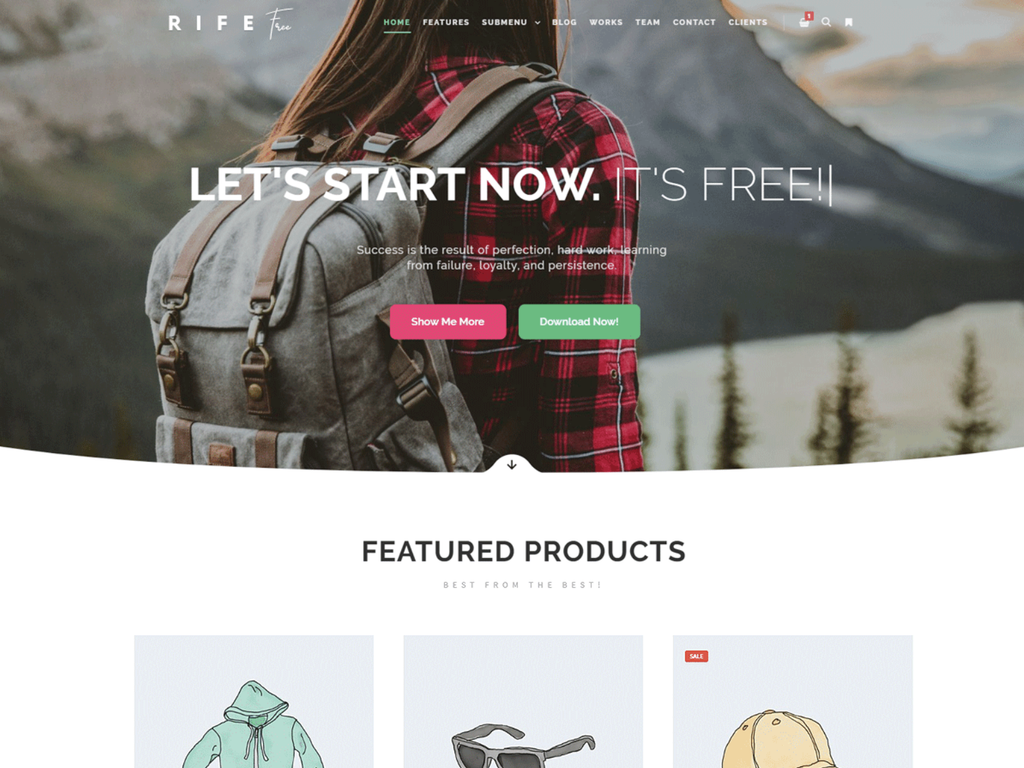
- Notable features: GIF and video support, post grid, and one-page mode.
- Page speed: 1.6 seconds.
Rife Free is a visual-first theme for portfolio and business sites. It comes with seven demo sites and a free Apollo13 Framework Extensions plugin, which adds a media manager, hero images, and parallax scrolling, in which backgrounds move more slowly than the content to create a sense of depth.
At 1.6 seconds, it loaded faster than the other portfolio themes on this list, Perfect Portfolio and CleanPortfolio, which both came in at 2.3 seconds. Choose Rife Free when a visual portfolio needs extras without a price tag.
It loads images only as visitors scroll to them and compresses them automatically. The theme also includes a mega menu, a hidden sidebar, and ships with a child theme for safe updates. Rife Pro starts at $10/month, billed monthly, and adds pro features and designs, premium support, and one month of updates.
19. Perfect Portfolio
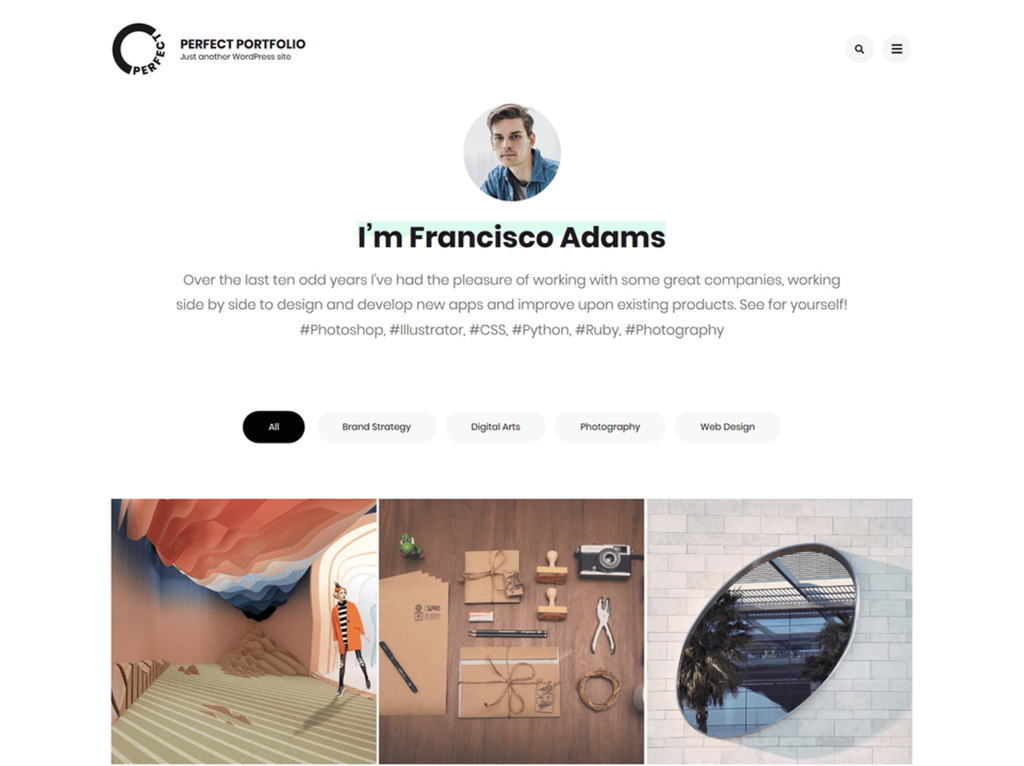
- Notable features: Schema markup, a predefined portfolio page, and a footer copyright editor.
- Page speed: 2.3 seconds.
Perfect Portfolio is a WordPress portfolio theme for professionals and agencies. You customize the portfolio layout with the WordPress customizer and CSS. Built-in animation effects add movement, and generous white space keeps your work at the center. Pick it over CleanPortfolio if you want subtle animation in your portfolio.
WooCommerce integration lets you sell prints and digital downloads. Social media integration and multilingual plugin support extend your reach. The premium version costs $59/year and includes three custom pages and blog designs, five portfolio designs, and over 600 Google Fonts.
20. Blossom Coach
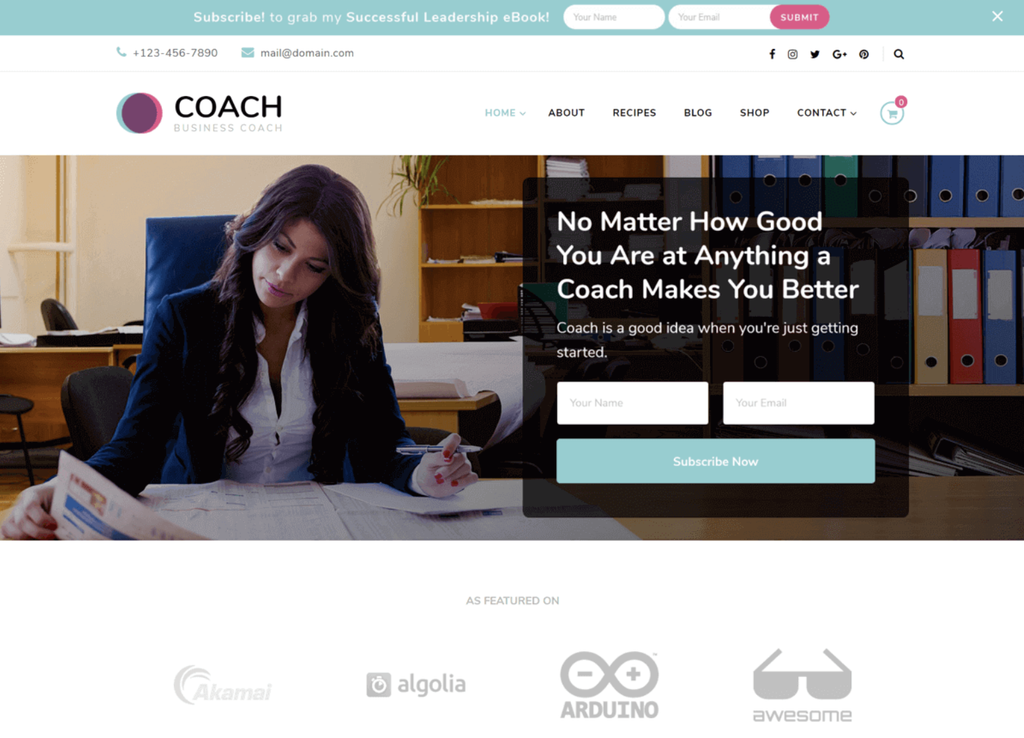
- Notable features: One-page website layout, banner-based elements, and pagination style.
- Page speed: 2.3 seconds.
Blossom Coach is part of the Blossom Themes series and is designed for coaching and mentoring websites. Contact forms help you collect leads, and a portfolio page showcases your events. Go with Blossom Coach over Namaha if events are central to your coaching offer.
You can mix pre-built homepage sections and fine-tune the design with custom CSS, the code that controls a site’s colors, fonts, and spacing. The paid version costs $69/year and adds a 1-click demo importer, Google Fonts with sizing options, and pre-built pages for podcasts, events, and success stories.
21. Blocksy
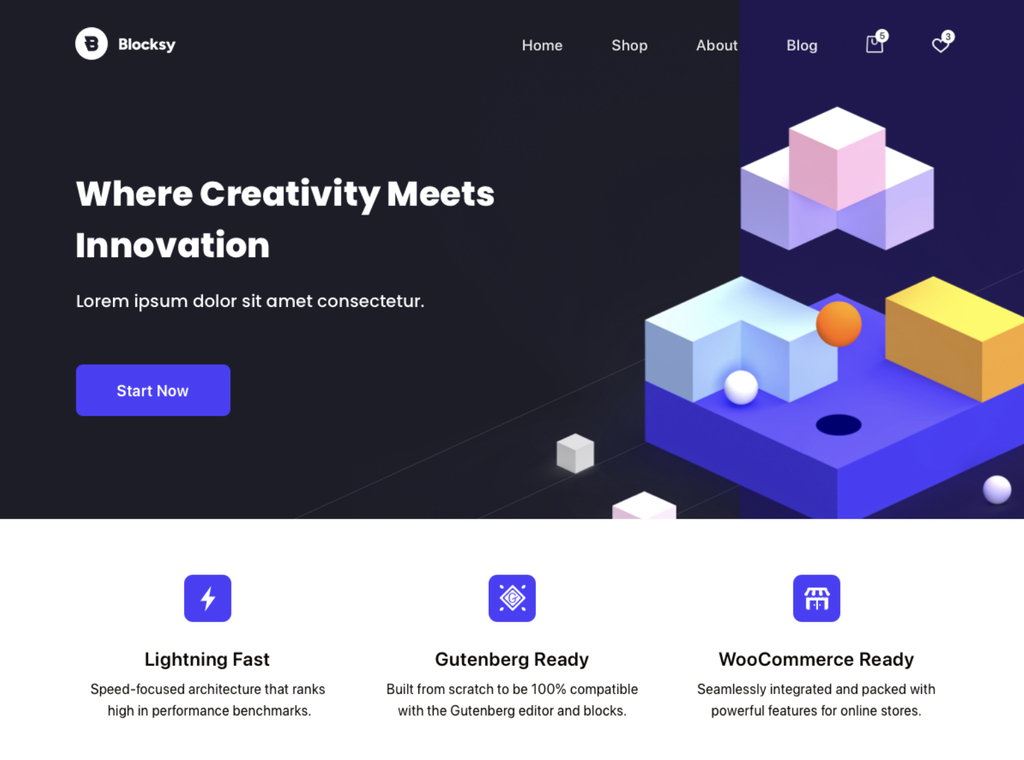
- Notable features: Custom post types support, newsletter module, drag-and-drop header and footer builder.
- Page speed: 2.0 seconds.
Blocksy stands out for its free starter sites across niches, from culinary to home decor. It’s ready for the block editor, so you customize with blocks instead of code. Choose Blocksy over Kadence if you want more features in the free version.
The free version also includes a cookie consent extension, breadcrumbs, advanced search with filters, and Google Analytics support. Blocksy Pro starts at $69/year and adds custom fonts, a mega menu, and custom code snippets.
22. Raft
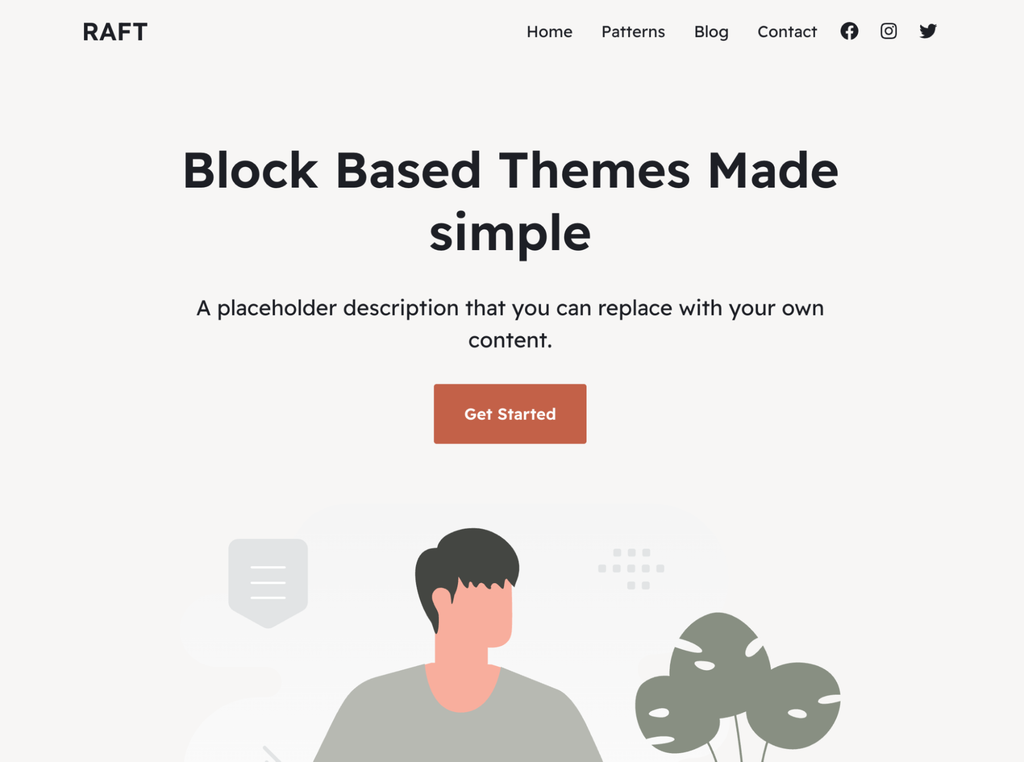
- Notable features: Full-site editing support, translation-ready, and color schemes at onboarding.
- Page speed: 2.6 seconds.
Raft is a block theme aimed at people with limited technical and design skills. It offers patterns for key pages, including 404 and search results. Choose Raft over Ollie if you build sites for clients, since Raft Pro covers unlimited client sites while Ollie Pro covers one website.
The global color palette keeps your brand colors consistent across the site. Otter Blocks, a plugin with free and paid versions, adds block patterns for sections such as live search and countdowns. The Pro version starts at $69/year and includes standard support, Pro patterns, and unlimited client site usage.
23. ShoppingCart
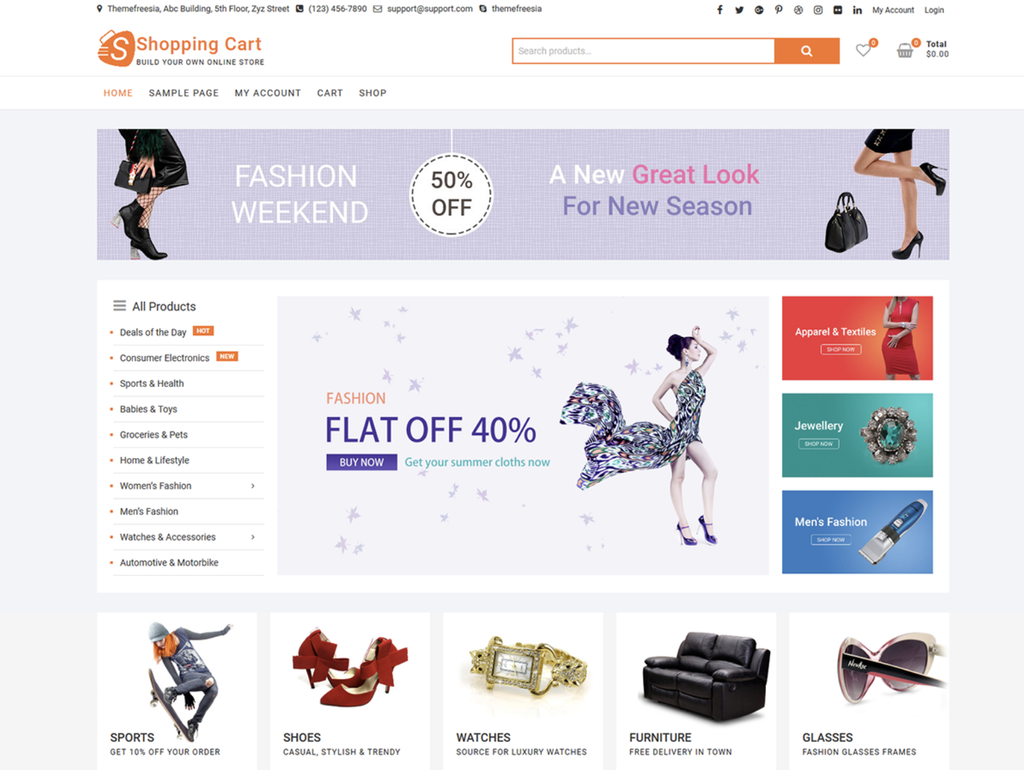
- Notable features: Social media integration, support for bbPress, a plugin that adds discussion forums, and flexible ad placement.
- Page speed: 1.9 seconds.
ShoppingCart is a theme that works best for ecommerce stores selling physical products. It includes a pre-built product catalog layout and a mega menu, and each feature switches off separately to keep maintenance simple.
It loaded in 1.9 seconds in our tests, the fastest of the three ecommerce themes on this list, ahead of Woostify at 2.1 seconds and Botiga at 2.3 seconds. Choose ShoppingCart over Botiga if ads are part of your revenue plan.
To import a demo, install the separate demo importer plugin. ShoppingCart Plus starts at $59 per website plus a $20 yearly fee and adds advanced color options, a footer editor, and more ad placement options.
24. CleanPortfolio
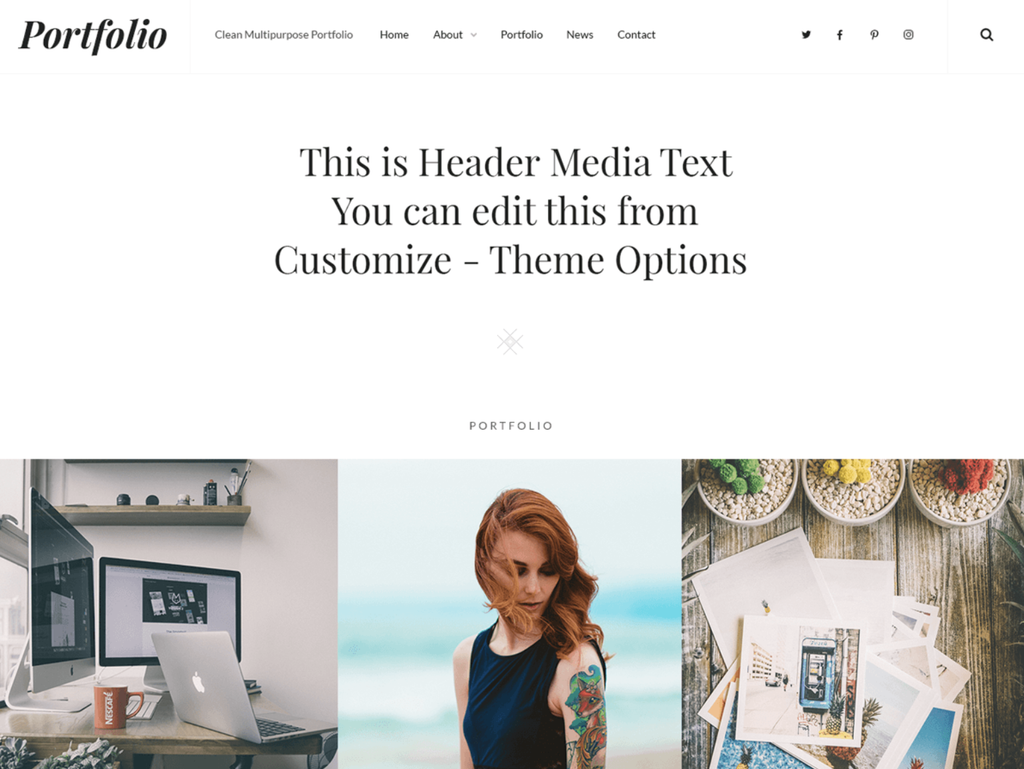
- Notable features: Right-to-left (RTL) language support, hero content, full HD screens.
- Page speed: 2.3 seconds.
CleanPortfolio is a minimalist portfolio theme for photographers and illustrators. Its clean grid puts the focus on your visuals, and project excerpts add a short description to each piece. Go with CleanPortfolio if you want a calmer, plainer grid.
Portfolio, service, and testimonial sections go on whichever pages you choose, and large portfolios get a scroll-up option and breadcrumbs. CleanPortfolio Pro costs $59.99/year and adds custom widgets, support, custom fonts, and a footer editor.
25. Namaha
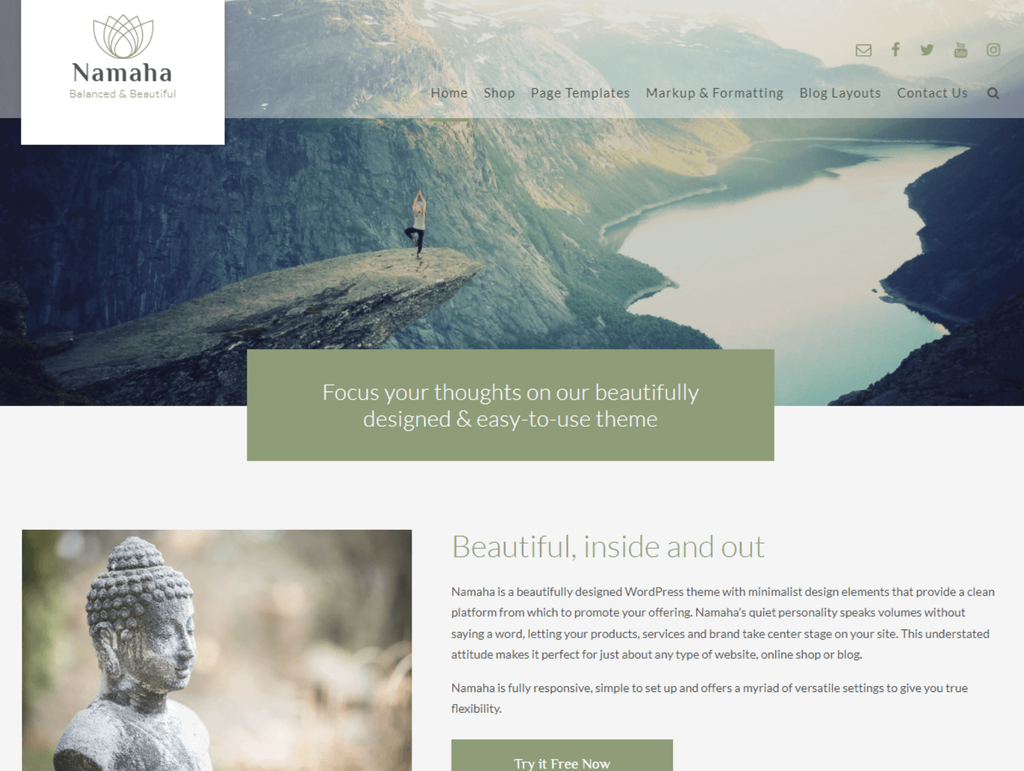
- Notable features: Mobile optimization, responsive design, multiple blog layouts.
- Page speed: 2.4 seconds.
Namaha is a WordPress theme with a soft, uncluttered design for wellness, spirituality, and coaching sites. It works with WooCommerce and BookingPress, so you manage bookings and online payments from your site. Go with Namaha if your practice runs on appointments.
Namaha Pro costs $25 for a lifetime license and adds a video header, navigation menu styling, and Font Awesome social media icons.
26. Rara Business
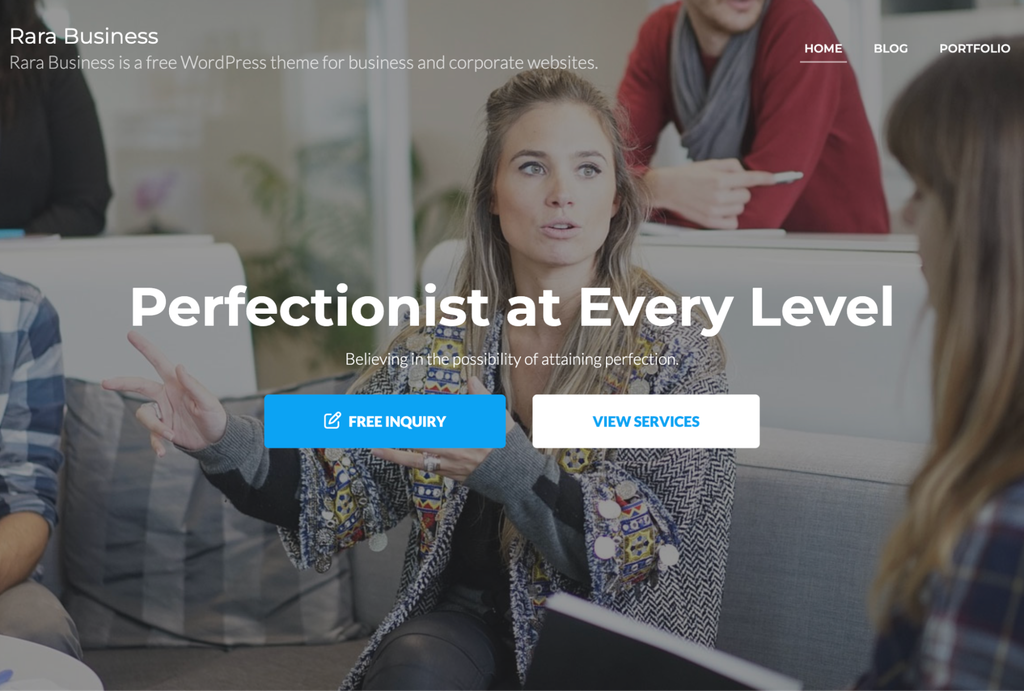
- Notable features: Schema integration, custom CSS support, and site logo.
- Page speed: 2.8 seconds.
Rara Business is a free theme with clean code for business and corporate websites. It runs across popular browsers and devices, and it’s translation-ready, so you can offer your site in other languages. A built-in portfolio section lets you showcase past projects or clients. Choose Rara Business over Sydney if a portfolio page matters to you.
WooCommerce support also lets small business owners run an online store. Rara Business Pro costs $59/year and adds four unique header designs, five banner designs, a one-page layout, and a pricing section.
27. Lemmony
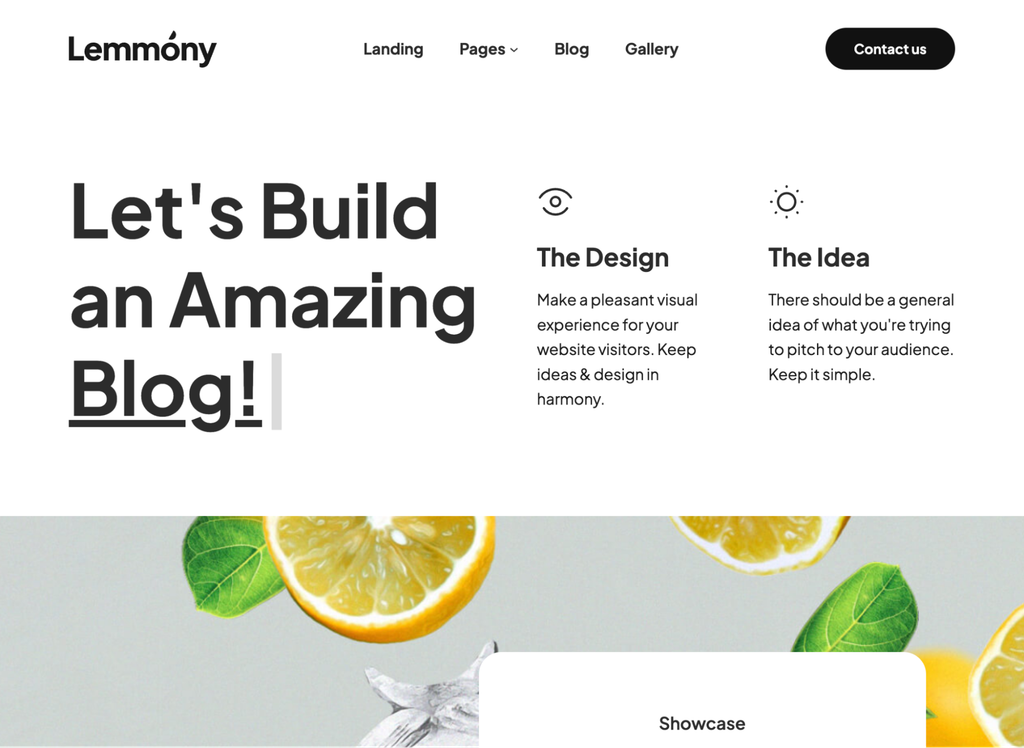
- Notable features: Animation effects, custom blocks, and pre-built patterns.
- Page speed: 2.4 seconds.
Lemmony is a block theme built on the WordPress site editor, so you see your changes as you make them. It’s free for personal and commercial projects, and its developer doesn’t list a paid version. Go with Lemmony if you want a full-site editing theme without upgrade prompts or locked features.
The patterns display testimonials, contact details, team members, and statistics, and the responsive design ensures a consistent experience on desktop computers and mobile devices. It suits professionals and small businesses.
28. Kadence
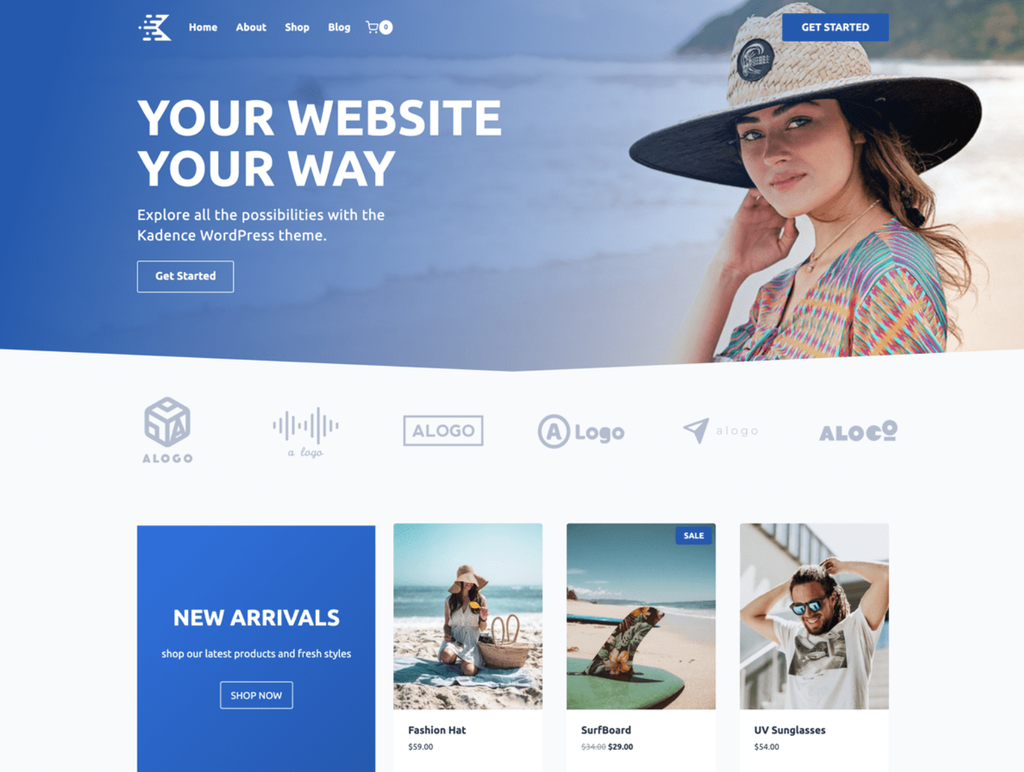
- Notable features: Easy onboarding, featured images, and a header and footer builder.
- Page speed: 1.8 seconds.
Kadence is a customizable theme with starter templates for different niches, a built-in importer, and sample content. It works with the WordPress customizer, so you can change the design without a page builder plugin. Choose Kadence if you want guided onboarding, since the importer sets up a starter template with sample content for you.
Kadence Pro costs $299/year and unlocks the header, footer, and navigation builder, along with mega menus, custom fonts and icons, and WooCommerce tools for cart and checkout.
29. Inspiro
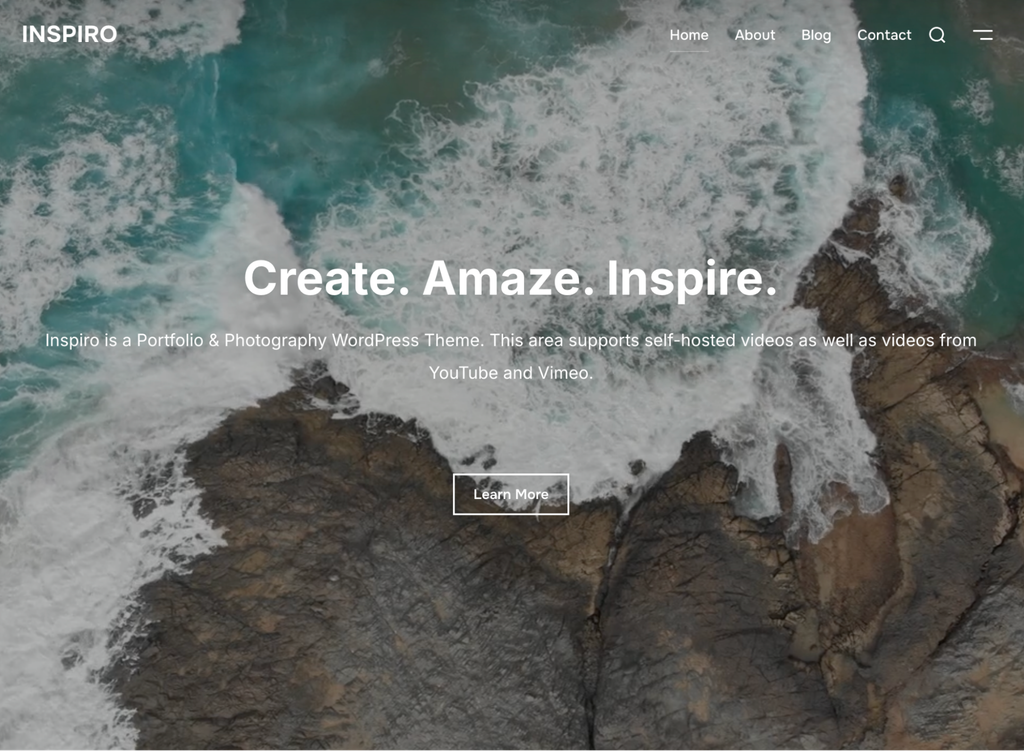
- Notable features: Dynamic full-screen area, local fonts, WooCommerce support.
- Page speed: 3.4 seconds.
Inspiro is a video-forward theme for photographers and artists. Its hero section, the large banner at the top of a page, greets visitors with a bold heading the moment the page loads. The theme also supports Vimeo, YouTube, and self-hosted video backgrounds. Go with Inspiro if video should be the centerpiece of your homepage, and skip it if you’d rather lead with text.
It works with popular page builders such as Beaver Builder. The premium version starts at $59/year and adds unlimited sites, a built-in portfolio module, and regular updates.
30. Newsmatic
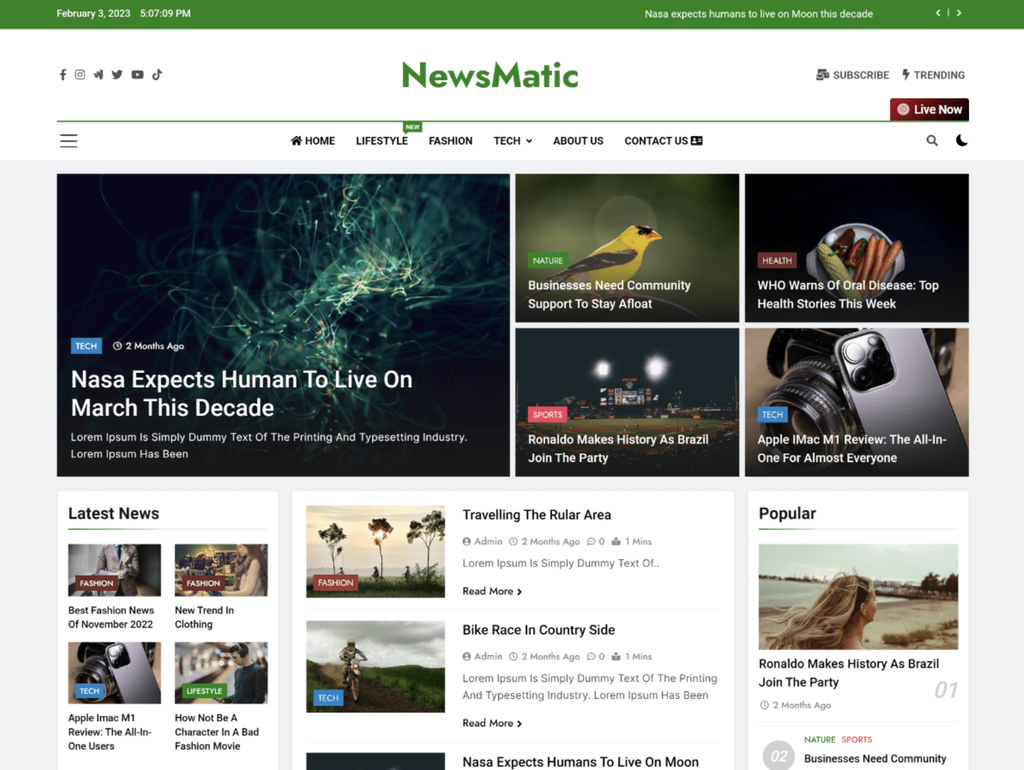
- Notable features: Schema-ready, Elementor compatibility via News Kit Elementor Addons, newsletter, and form plugin support.
- Page speed: 2.4 seconds.
Newsmatic is a free news theme for magazines, news portals, and blogs. It works with multilingual plugins, so you can run a single site in multiple languages.
Newsmatic loaded in 2.4 seconds in our tests, nearly a second faster than ColorMag’s 3.2 seconds. Pick Newsmatic if your audience reads in more than one language.
You write posts in the block editor and adjust the design in the WordPress customizer, which includes typography and color controls. According to Blaze Themes, the developer behind Newsmatic, the theme doesn’t collect personal data subject to the GDPR. Blaze Themes sells the paid version for $59/year for one website, billed annually, which adds premium support.
How to pick the best free WordPress themes
To pick the best free WordPress theme, check its compatibility, credibility, responsiveness, SEO friendliness, and ease of use before you install it:
- Compatibility. Check the last updated date and the required WordPress and PHP versions on the theme’s directory page. Choose a theme that was updated recently and works with the WordPress release and the PHP version your site runs.
- Credibility. Download themes from the WordPress theme directory, a reputable developer’s website, or one of the other trusted marketplaces for choosing a WordPress theme. Skip pirated copies of premium themes, which carry a risk of malicious code.
- Responsiveness. Open the live demo on a phone and a tablet to see how the layout adapts.
- SEO friendliness. Run the demo through a website speed test and check for schema markup support. Fast load times, clean code, and schema markup are the SEO basics a theme controls.
- Ease of use. Check whether the theme works with the editor you plan to use, such as the block editor or Elementor. Some themes require a specific installation method, a companion plugin such as Blocksy Companion, or template files from a parent theme. Confirm you meet the requirements before you install.
What are the limitations of free WordPress themes?
Free WordPress themes limit advanced customization, direct support, and template libraries, and they leave you to manage updates, plugin testing, and upgrade costs. They still handle layout, typography, and color well, and a paid plan lifts most of these limits:
- Advanced customization. Free versions cover the basics, and most developers keep extras in a Pro tier, though themes like Lemmony and Vantage skip a paid version entirely. Neve Pro, for example, offers white-labeling only in its Agency plan.
- Direct support. Most free themes offer help only through the WordPress.org support forums. Zakra, for example, keeps support tickets for Zakra Pro users.
- Template libraries. Developers often keep their largest libraries behind a paid plan, as Astra, Responsive, and Kadence do.
- Update schedule. A free theme gets updates only as long as its developer maintains it. The theme directory flags any theme that hasn’t been updated in over two years with a warning that it may no longer be maintained.
- Plugin compatibility. A free theme doesn’t always work with every plugin, so test your must-have plugins on a staging site before you switch themes.
- Renewal pricing. Many paid upgrades use introductory pricing, so check the renewal price before you buy. A lifetime license avoids renewals altogether.
Upgrade the same theme or move to a premium one if a feature you need sits behind a paywall, or you want a person to answer your support ticket. Start free, and upgrade only when a missing feature costs you more than the license would.
Next steps: Install your chosen free WordPress theme
The next step in building your WordPress website is to install and activate your chosen theme, then start designing your pages. You have five ways to install a WordPress theme, and the right one depends on where the theme comes from:
- Theme directory. In your WordPress dashboard, go to Appearance → Themes → Add New Theme, search for the theme, and click Install and then Activate. This works for every free theme on WordPress.org.
- ZIP upload. On the same screen, click Upload Theme, choose the ZIP file, then click Install Now, and finally Activate. Use this for premium and third-party themes.
- AI Website Builder for WordPress. Create a new WordPress site in Hostinger dashboard, and the builder sets up Hostinger AI Theme for you.
- File Manager or File Transfer Protocol (FTP). In File Manager, upload the theme’s ZIP file to public_html → wp-content → themes and extract it. Using an FTP client, first extract the ZIP file to your computer, then upload the theme folder. Then activate it from Appearance → Themes.
- WordPress Command Line Interface (WP-CLI). Connect over Secure Shell (SSH, available on Premium Web hosting and higher plans), run
wp theme install theme-slug, and then runwp theme activate theme-slug.
Once the theme is active, import a starter site or open the editor to start designing your website, and add the plugins your pages need.
All of the tutorial content on this website is subject to Hostinger's rigorous editorial standards and values.

Justina is a Content Writer passionate about marketing, with a background in social media and customer success management. She also loves reading books, traveling and exploring new places as well as cooking, and trying out new recipes. Follow her on LinkedIn.